
 Momentalvs.
 Brain.fm
Momental vs Brain.fm: Sleep sounds or focus music?
Compare custom sound blends with music built for focus and rest.
The short answer
Momental
- You prefer nature sounds and noise to functional music
- You want to blend sounds and save your mix
- You want a lifetime Premium purchase option
Brain.fm
- You want music built around focus sessions
- You want to adjust the music’s stimulation level
- You listen on the web or desktop as well
Everyday use
Brain.fm makes functional music, with controls and listening modes designed around activities such as focus. Momental gives you individual sounds, noise colors and frequencies to choose and mix. Both can be used during a quiet evening, but the listening material and the way you select it are different.
If your main use is a work session at a computer, web access and focus controls deserve attention. If your main use is returning to the same rain sound before bed, Momental is a closer match to that task. Product research claims are not a guarantee that you will prefer the audio; listen to the material you would actually use.
Inside Momental A closer look at the bedtime routine
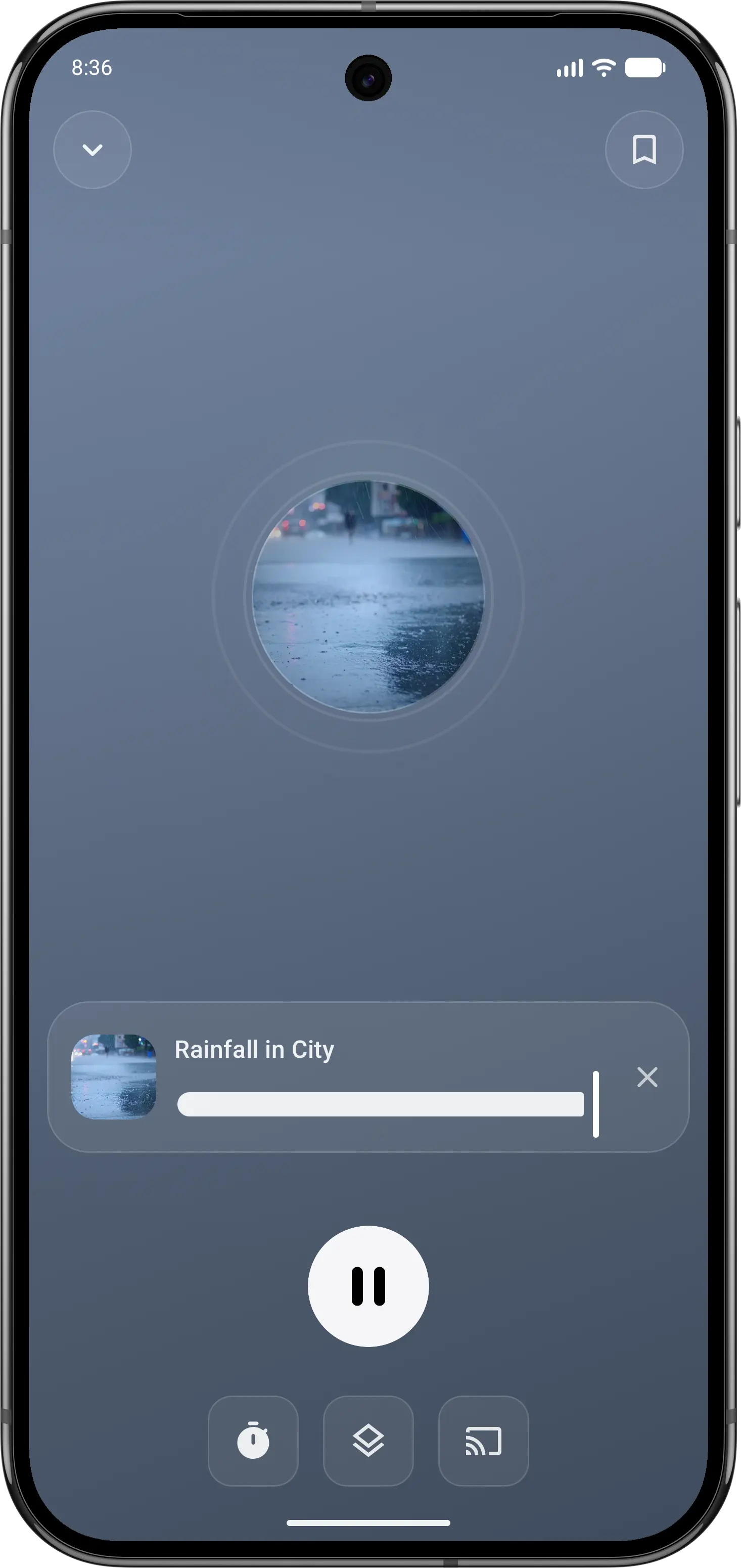
01Find your sound
Start with a familiar rain or nature sound.
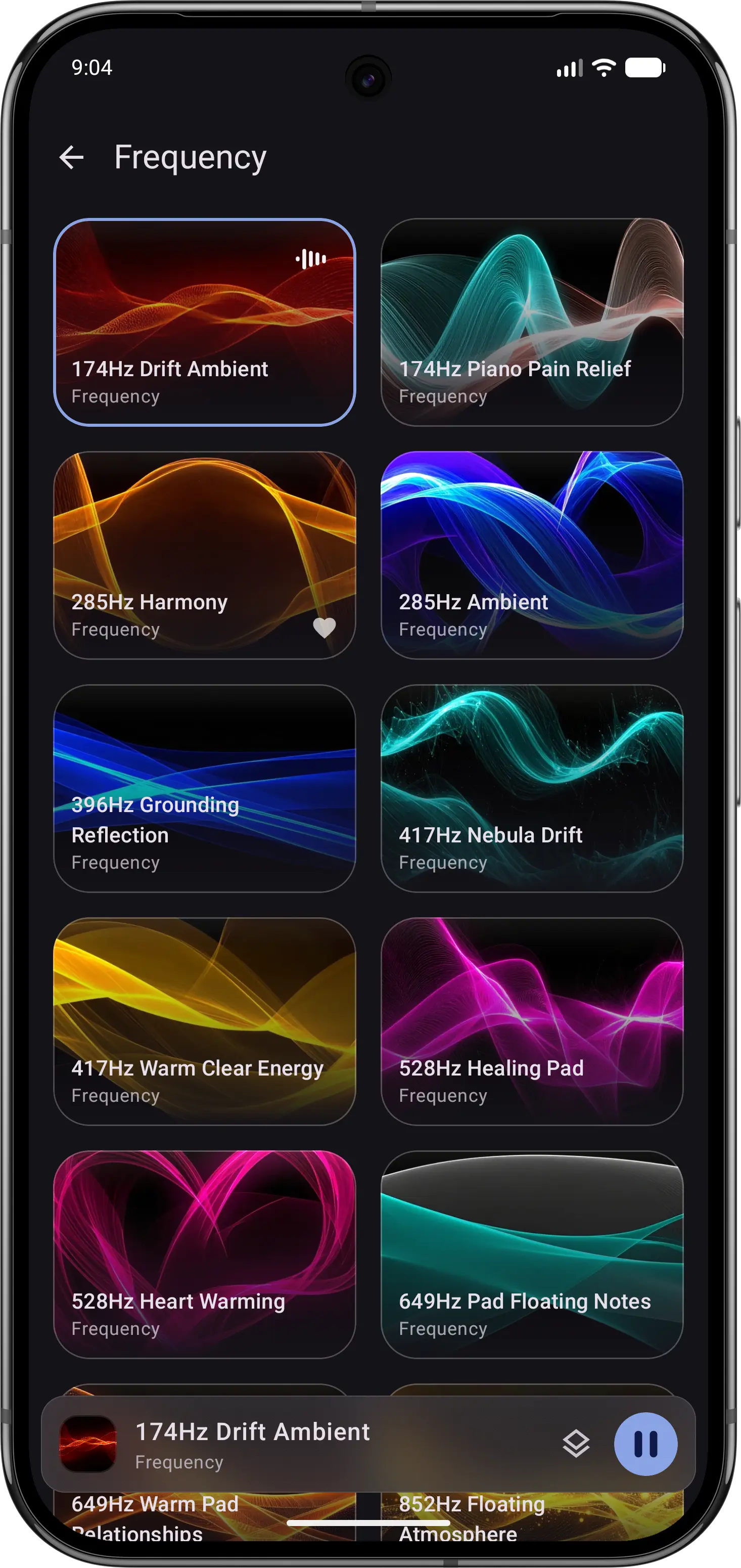
02Explore frequencies
Choose a tone when that is what you want to hear.
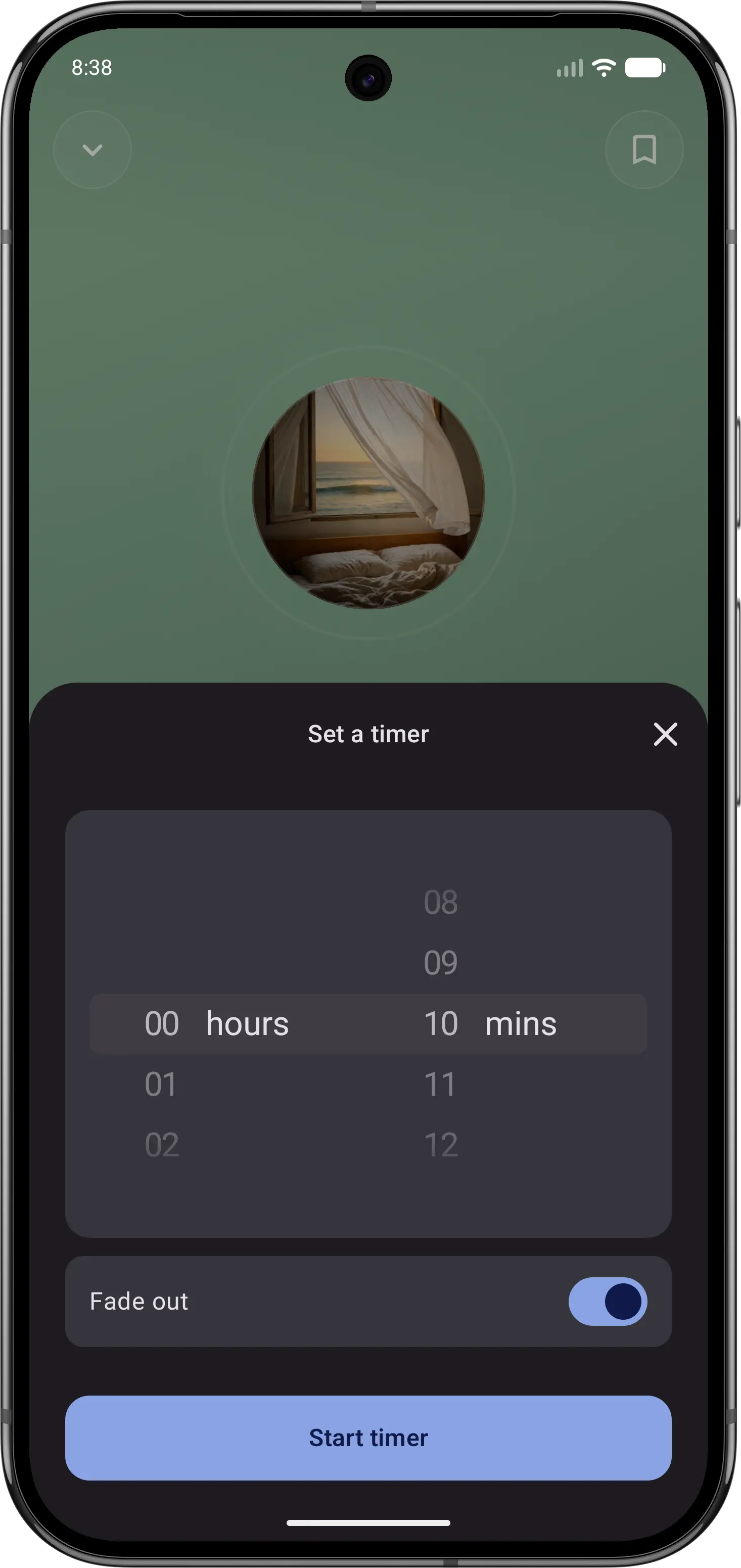
03Let the sound fade
Set a sleep timer, then put your phone down.
Feature comparison
| Feature | Momental | Brain.fm |
|---|---|---|
| Main audio | Sounds and noise | Functional music |
| Customize the sound | Mix and save | Stimulation level |
| Focus features | Focus mode | Pomodoro, ADHD |
| Web and desktop | No | Yes |
| Brainwave audio (binaural beats) | Yes | Different method |
| Entire library is narration-free | Yes | Guided optional |
| Free to start | Yes | Free trial |
| Premium options | Plans + lifetime | Subscription |
| iOS and Android | Yes | Yes |
| Sleep, relax, focus, meditate | Yes | Yes |
| Nature sounds | Yes | Yes |
| Session timer | Yes | Yes |
“Not listed” means we could not confirm a feature on the official product and store pages. It does not mean the feature is unavailable. Momental Premium offers monthly, yearly and lifetime plans; free access does not mean every sound is unlocked.
What can you use for free?
Momental: The Android listing includes 20+ free sounds, individual mixing controls, a fade-out timer and unlimited saved mixes. Premium is optional. On iPhone, check the sounds and access shown in your app before assuming the Android selection is identical.
Brain.fm offers a free trial of a paid subscription. Treat that as a time-limited way to evaluate its music, rather than an ongoing free library. Compare what you can keep using after the trial with the Momental sounds available without Premium, and check the renewal terms shown when you sign up.
Which should you choose?
Use Momental when sleep is the main job and you want fewer choices at night. Brain.fm treats sound as a productivity tool, while Momental treats it as a calm backdrop that helps you stop thinking and drift off. If you find yourself reaching for Brain.fm mostly at bedtime, that is a sign Momental may suit you better: rain, noise and frequencies you pick in seconds, a fade-out timer, and the option of a one-time lifetime unlock.
Use Brain.fm when focus comes first. It is built for daytime work, with focus music across genres from lo-fi to classical, Pomodoro sprints, an adjustable stimulation level with an ADHD boost, and apps for web and desktop as well as mobile. If you already rely on Brain.fm during work hours and want one app for everything, keeping a single subscription can be simpler than switching between two apps. For more on the difference, read our sleep music vs sleep sounds breakdown.
Before you switch
If you use Brain.fm for timed work sessions, stimulation settings or desktop listening, test those needs separately from bedtime. Momental’s sound mixes do not reproduce Brain.fm’s music or its focus-session controls. A change at night does not require replacing a workday tool that suits you.
Choose a new rain or noise blend in Momental and compare that listening experience with your usual music. Keep any Brain.fm routines you still need, and manage its subscription separately; installing another app does not cancel the original plan.
Frequently Asked Questions
Is Momental a good Brain.fm alternative?
It can be, if you mainly use Brain.fm at night. Momental plays nature sounds, noise colors, binaural beats and Solfeggio frequencies rather than music, has no talking, and offers Premium as a one-time lifetime purchase as well as monthly or yearly. If you use Brain.fm for daytime focus with Pomodoro sprints or its ADHD boost, Momental is not a like-for-like replacement.
How much does Brain.fm cost?
Brain.fm is a subscription that starts with a free trial. As of September 2026, its pricing page lists $14.99 a month or $99.99 a year. Momental is free to start, and its Premium is available monthly, yearly or as a one-time lifetime purchase.
How is Brain.fm different from binaural beats?
Brain.fm describes its audio as music that uses its own patented approach to brainwave entrainment, made by human composers with AI, and positions it as an alternative to binaural beats and isochronic tones. Momental offers binaural beats and Solfeggio frequencies as sounds you choose yourself, next to rain, ocean and noise.
What is the difference between Calm and Brain.fm?
Calm is built around guided meditation and narrated Sleep Stories, with sleep sounds and music alongside. Brain.fm is built around functional music for focus, relaxation, meditation and sleep, with a few guided sessions. Momental sits apart from both: no narration at all, just sounds, noise and frequencies for bedtime.
Focus sounds for your workday.
Choose steady noise or nature and set your own balance.