
 Momentalvs.
 Endel
EndelMomental vs Endel: Your mix or adaptive audio?
Compare familiar saved sounds with soundscapes that respond to your day.
The short answer
Momental
- You want to return to a familiar saved mix
- You prefer a library with no spoken content
- You want to choose individual sounds and their balance
Endel
- You want sound that adapts to your context
- You enjoy exploring artist-created soundscapes
- You listen on a watch, TV or the web
Everyday use
Endel generates soundscapes that respond to context. Momental plays the sounds and blends you select. The difference becomes clear when you want to repeat yesterday’s listening experience: a saved blend is a deliberate choice, while adaptation is part of the Endel appeal.
Think about how often you use sound outside the bedroom. An adaptive soundscape may suit a day that moves between work, activity and rest. A familiar rain mix may be enough if bedtime is your main use. Endel also supports devices beyond the phone, so compare your actual listening setup before treating the two apps as interchangeable.
Inside Momental A closer look at the bedtime routine
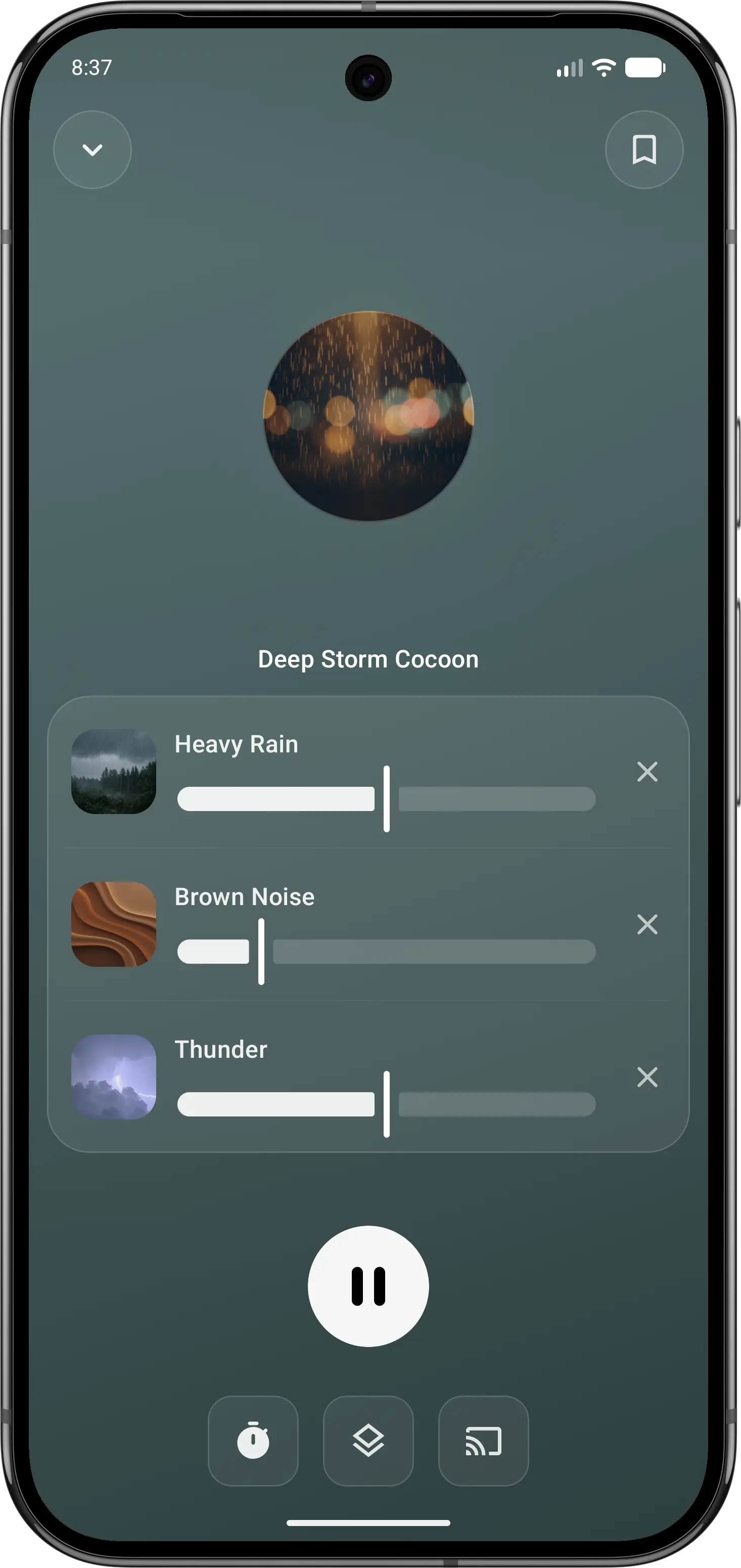
01Make it your own
Balance individual sounds in your own mix.
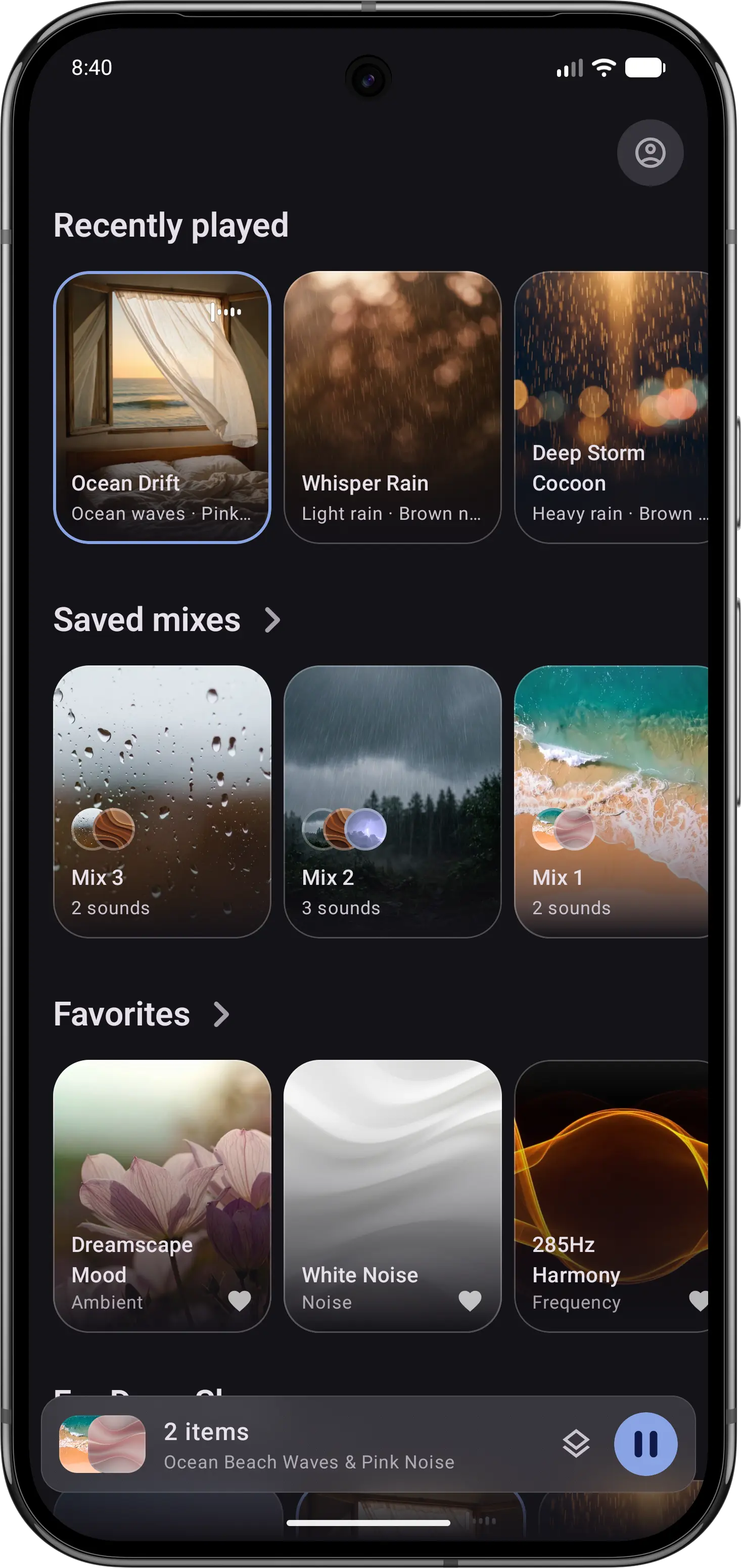
02Return to a favorite
Keep recently played sounds and saved mixes close.
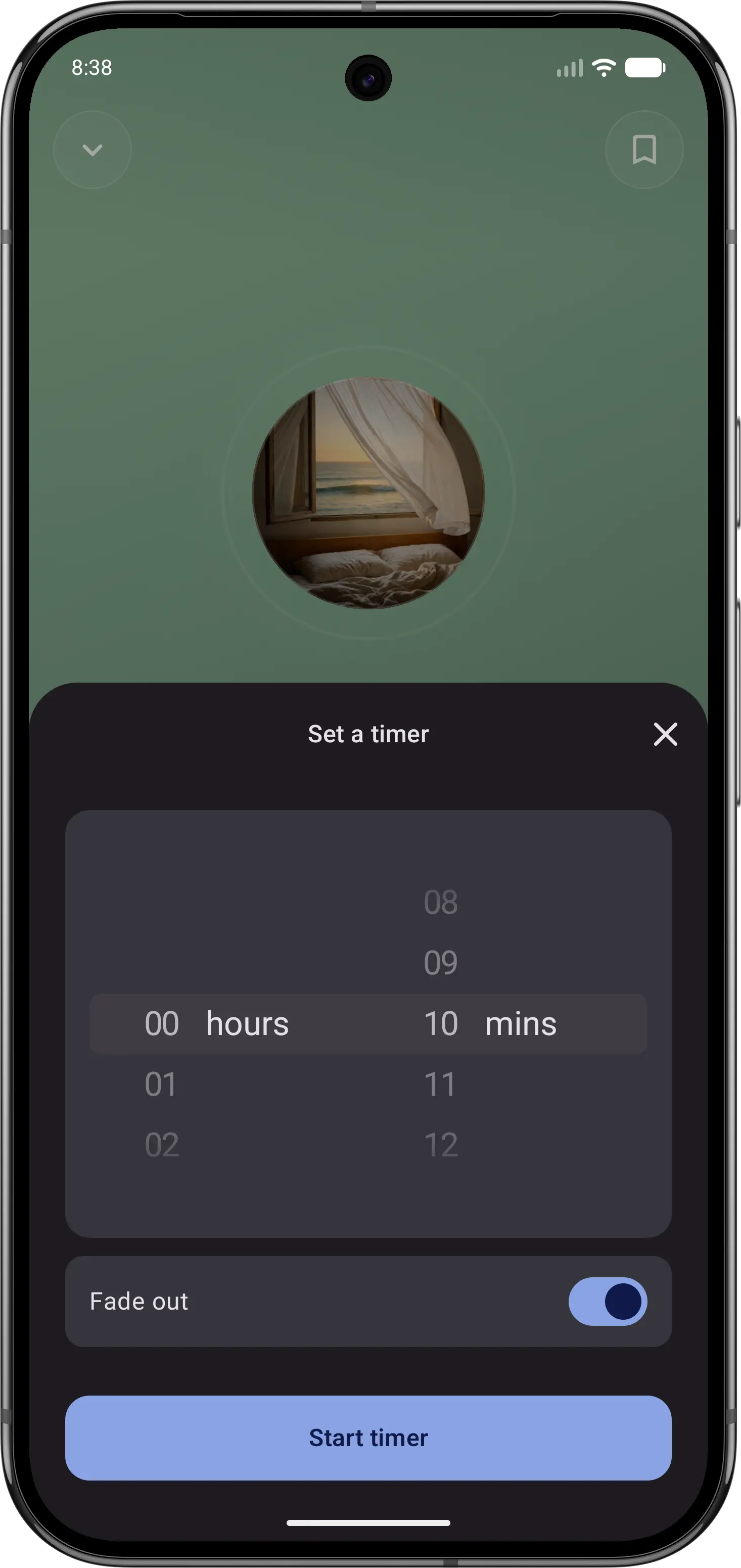
03Let the sound fade
Set a sleep timer, then put your phone down.
Feature comparison
| Feature | Momental | Endel |
|---|---|---|
| Sound selection | You pick | Adapts to you |
| Platforms | iOS, Android | + Watch, TV, web |
| Collections | Curated sets | Artist soundscapes |
| Brainwave audio | Binaural beats | Delta modulation |
| Noise colors | Yes | Premium |
| Quick start | One-tap routine | Autoplay |
| Free to start | Yes | Free edition |
| Premium options | Plans + lifetime | Monthly or lifetime |
| Entire library is narration-free | Yes | Some spoken word |
| Rain and nature sounds | Yes | Premium |
| Sleep, relax, focus modes | Yes | Yes |
| Sleep timer | Yes | Yes |
“Not listed” means we could not confirm a feature on the official product and store pages. It does not mean the feature is unavailable. Momental Premium offers monthly, yearly and lifetime plans; free access does not mean every sound is unlocked.
What can you use for free?
Momental: The Android listing includes 20+ free sounds, individual mixing controls, a fade-out timer and unlimited saved mixes. Premium is optional. On iPhone, check the sounds and access shown in your app before assuming the Android selection is identical.
Endel has a Free Edition with its classic soundscapes. Premium adds content and tools such as artist soundscapes, colored noise and Focus Timer. Decide whether the free adaptive experience already covers your routine before comparing paid catalogs. Check that the specific soundscape you want is included in the offer on your device.
Which should you choose?
Use Momental when sleep is the main job and you want the same comforting sound you fell asleep to last night. What you pick, or the mix you saved, is exactly what plays. Open the app, choose a sound, set a fade-out timer and leave the screen. The library adds binaural beats and Solfeggio frequencies to its nature sounds and noise colors.
Use Endel when you want sound that follows you through the day. Its soundscapes are generated in real time and react to inputs such as time of day, weather, heart rate and location, with modes for focus, relaxation, sleep and activity. It also reaches beyond the phone to Apple Watch, Mac, the web, TV and Alexa. One practical test: if you keep wishing you could replay last night's exact soundscape, Momental's fixed sounds will suit you better. If you use sound from the commute to deep work to bed, Endel's all-day approach may justify its premium plan.
Before you switch
Notice whether you value Endel’s adaptation or simply the sound it creates. Momental lets you choose and balance sounds yourself; it does not recreate the same changing session. Save a new blend and try returning to it on another evening to compare those two listening styles.
Check where you listen as well. If Endel is part of a watch, TV or web routine, a phone-based Momental mix may cover only one part of it. Keep the existing setup available until you know which devices and controls you still need.
Frequently Asked Questions
How are Endel's adaptive soundscapes different from Momental's sounds?
Endel generates its soundscapes as you listen and adjusts them to inputs like time of day, weather, heart rate and location, so a session can change as it plays, and Autoplay can pick a soundscape for you. In Momental you choose the sound, such as rain, brown noise or a saved mix, and that is what plays until the sleep timer fades it out.
What is the difference between Calm and Endel?
Calm is built around guided meditation and narrated Sleep Stories, with sleep sounds and music alongside. Endel is built around generated soundscapes for focus, relaxation, sleep and activity, including artist collaborations and a spoken-word soundscape. Momental is closer to Endel in being about sound rather than voice, but it has no narration at all and plays the sounds you pick.
Is Endel free?
Endel has a Free Edition with its classic soundscapes. Endel Premium adds Colored Noise, Rainy Outside, Nature Elements, Focus Timer and the artist soundscapes, and you can pay for it as a monthly or yearly subscription or a one-time lifetime purchase. Momental is also free to start, and its Premium is available monthly, yearly or as a one-time lifetime purchase.
Where can I use Endel and Momental?
Endel runs on iOS and Android, Apple Watch, Mac, the web, Apple TV, Fire TV and Alexa. Momental is available on iOS and Android.
Soundscapes you shape yourself.
Blend nature and noise for focus, rest or bedtime.