
 Momentalvs.
 myNoise
Momental vs myNoise: Simple mixes or detailed tuning?
Compare quick bedtime listening with precise control over sound and frequency.
The short answer
Momental
- You prefer picking a sound to tuning frequency sliders
- You want to return quickly to a saved mix
- You like organizing listening around bedtime collections
myNoise
- You want detailed control over the frequency balance
- You enjoy exploring a large catalog of soundscapes
- You want a wider range of noise colors
Everyday use
myNoise is built around shaping sound in detail. Its generators let you adjust the balance within a soundscape rather than only choosing a broad category such as rain or noise. Momental takes a simpler approach: choose individual sounds, balance your blend and return to it later.
More controls are useful when you want to refine a background for a particular room or activity. Fewer controls can be useful when you already know what you want at bedtime. It is also worth separating the myNoise website from its mobile apps: access and available features can differ, so compare the version you will actually use with Momental on your phone.
Inside Momental A closer look at the bedtime routine
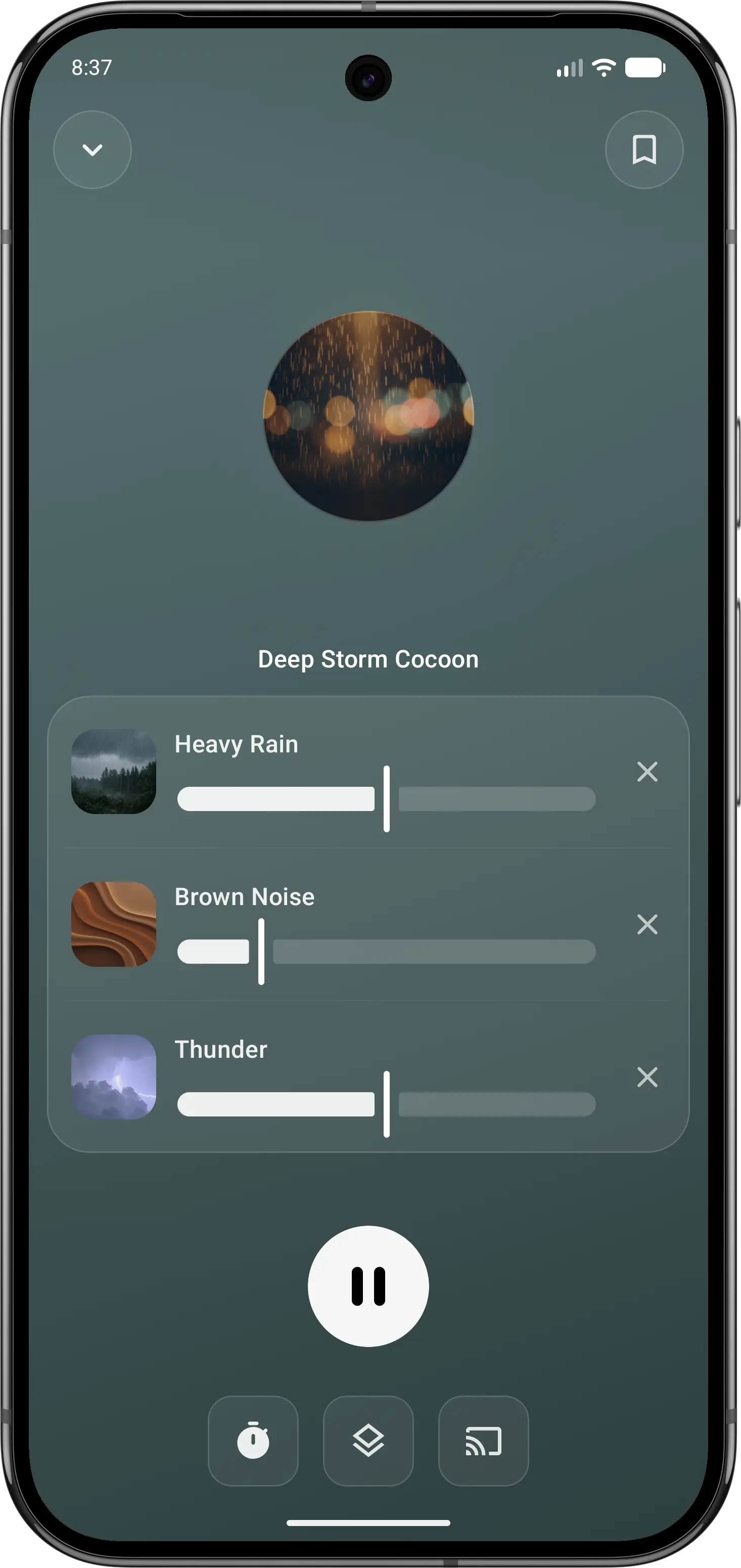
01Make it your own
Balance individual sounds in your own mix.
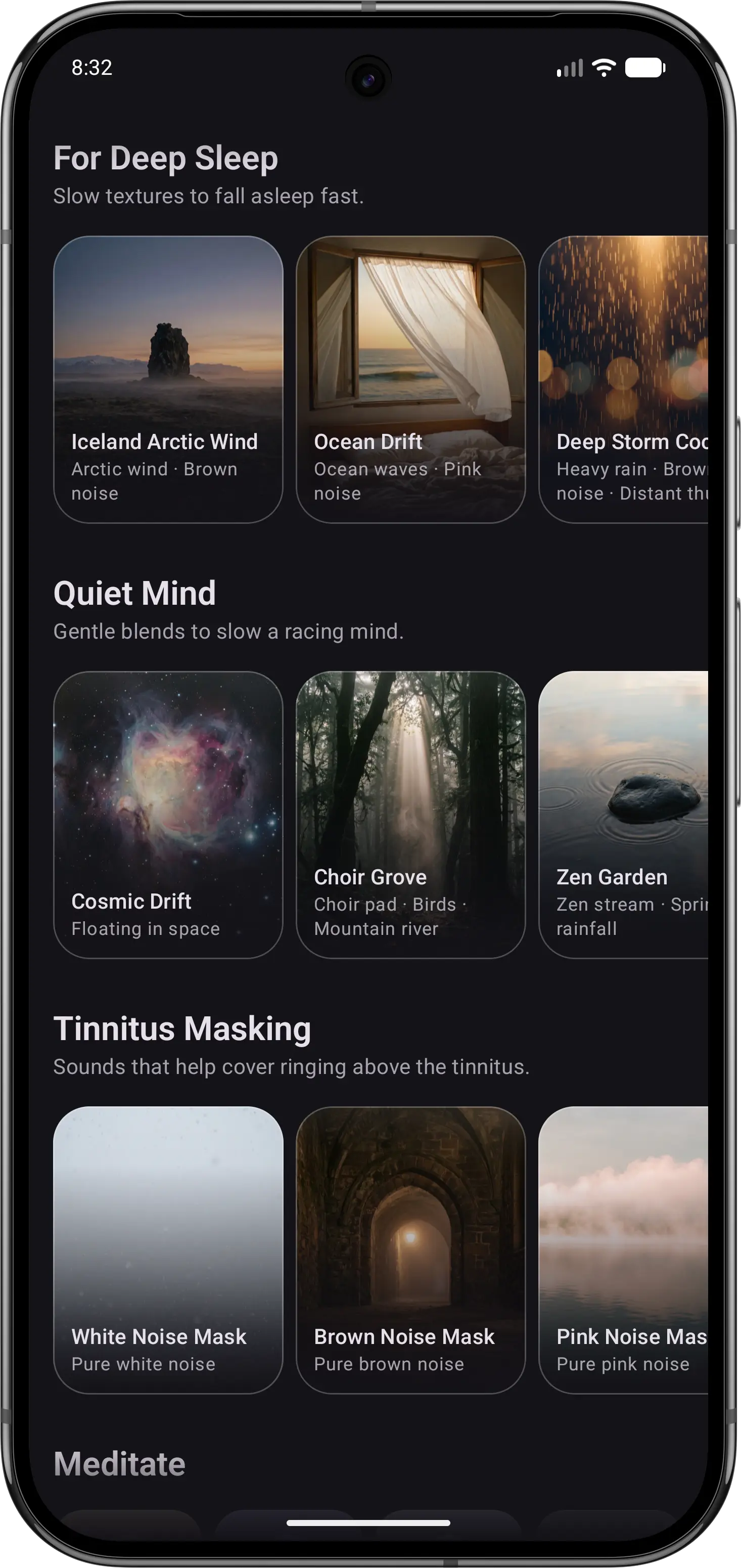
02Browse by mood
Explore a collection when you want something different.
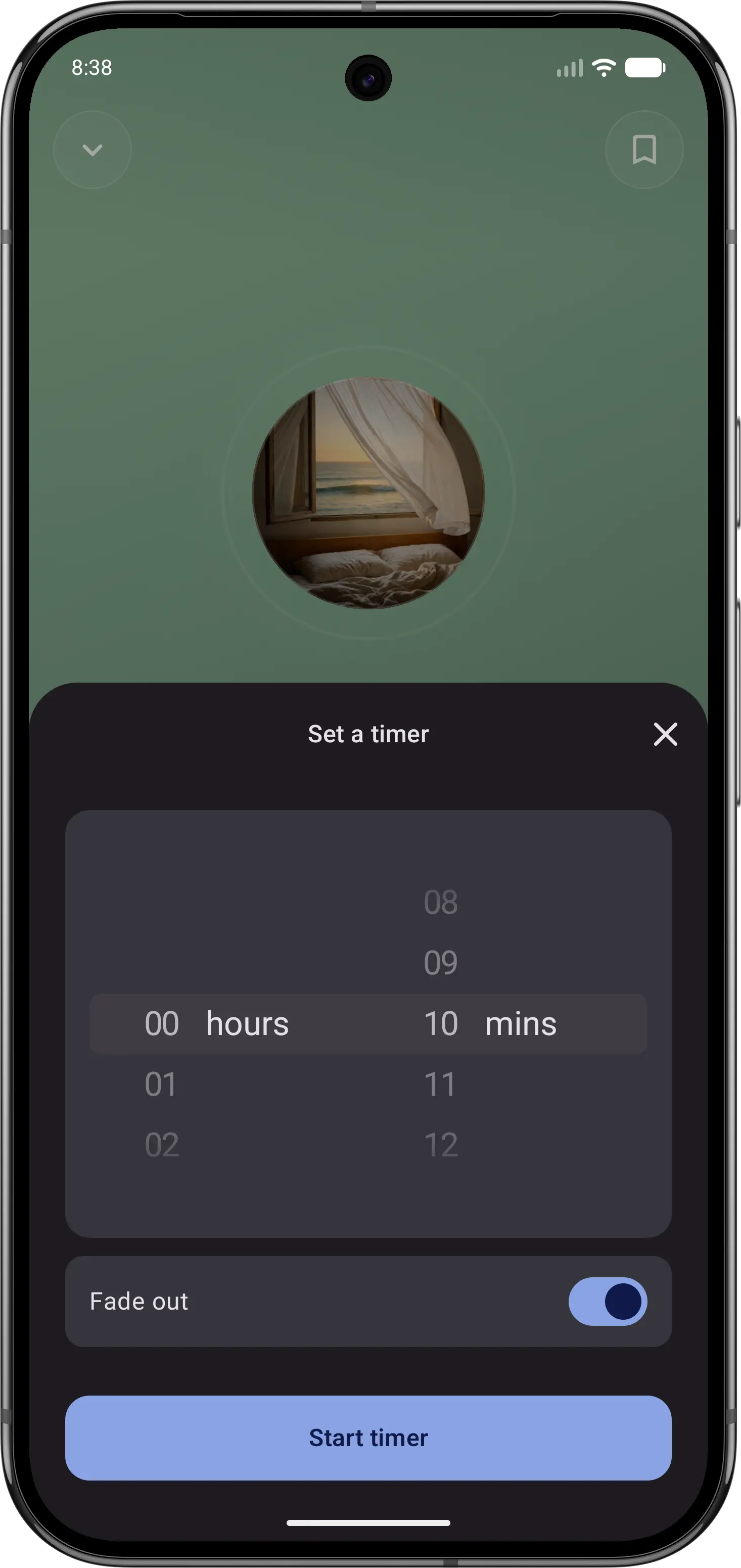
03Let the sound fade
Set a sleep timer, then put your phone down.
Feature comparison
| Feature | Momental | myNoise |
|---|---|---|
| Mix sounds together | Mix and save | Up to 10 sliders |
| Library size | Curated | 300+ soundscapes |
| Bedtime start | One tap | Presets or sliders |
| Tinnitus masking sounds | Collection | Tunable |
| Premium options | Plans + lifetime | One-time |
| Noise colors | White, pink, brown | 6+ incl. green |
| Entire library is narration-free | Yes | Yes |
| iOS and Android | Yes | Yes |
| Free to start | Yes | Yes |
| Rain, ocean and forest | Yes | Yes |
“Not listed” means we could not confirm a feature on the official product and store pages. It does not mean the feature is unavailable. Momental Premium offers monthly, yearly and lifetime plans; free access does not mean every sound is unlocked.
What can you use for free?
Momental: The Android listing includes 20+ free sounds, individual mixing controls, a fade-out timer and unlimited saved mixes. Premium is optional. On iPhone, check the sounds and access shown in your app before assuming the Android selection is identical.
The current myNoise iOS listing describes a free download without ads and a one-time purchase to unlock the full library, including future soundscapes. That does not establish which sounds are free on every platform. Check the current Android offer separately, and distinguish the mobile app from access to the myNoise website. See the iOS listing.
Which should you choose?
Use Momental when sleep is the main job and you want fewer choices at night. Open the app, choose a calm sound, set a timer if needed and leave the screen. myNoise is a sound design tool that happens to help you sleep; Momental is a sleep tool that happens to play sound. That difference matters most at 11 PM, when your eyes are heavy and ten sliders can feel like ten decisions too many.
Use myNoise when control matters more than speed. It has a devoted following among audio enthusiasts and people with tinnitus because every one of its 300+ soundscapes can be shaped slider by slider, which is genuinely useful during the day for concentration or masking. If detailed sound shaping is your priority, compare the myNoise controls before deciding. A practical middle ground is to use myNoise for focus or masking during the day, then switch to Momental at bedtime when you want no friction.
Before you switch
If you have carefully tuned a myNoise preset, note which sound layers and frequency adjustments matter to you. Momental can create a fresh blend from its own sounds, but its individual volume controls do not recreate the full myNoise slider workflow. Compare the result with the background you already enjoy.
Keep access to your existing presets while trying the new mix. We have not verified a preset importer or purchase transfer between these apps, so plan to build the blend again rather than carry over the original settings.
Frequently Asked Questions
Is myNoise free?
Yes, myNoise is free to download on iOS and Android, with no ads and no subscription. Full access is a one-time purchase, and it includes soundscapes released later. Momental is also free to start, and its Premium is available monthly, yearly or as a one-time lifetime purchase.
How does mixing sounds work in each app?
In myNoise every soundscape has its own sliders, so you can set the ocean, wind and cicadas in a garden scene separately. Creation Mode goes further and combines up to 10 sliders taken from any soundscape, such as rain from one and birds from another, and Animate Mode can move the sliders for you. In Momental you layer sounds such as heavy rain, brown noise and thunder into one blend and save it as a mix for the next night.
Which app is better for tinnitus?
myNoise lets you tune a sound to blend with your own ringing, which suits people who want precise control. Momental has a Tinnitus Masking collection you can start without adjusting anything. Neither replaces advice from a doctor or audiologist; our guide to sleep sounds for tinnitus covers the main options.
Which app is quicker to use at bedtime?
Momental is designed for a one-tap routine: pick a sound, set a fade-out timer and put the phone down. myNoise gives you presets to start from, but its strength shows when you spend time on the sliders.
Noise mixes, with simple controls.
Balance white, pink or brown with your favorite nature sounds.