
 Momentalvs.
 White Noise Lite
Momental vs White Noise Lite: Bedtime mixes or bedside tools?
Compare simple listening with recording, alarms and detailed mixer controls.
The short answer
Momental
- You prefer browsing sounds by bedtime collection
- You want binaural beats and Solfeggio frequencies
- You prefer simple sound levels to pitch controls
White Noise Lite
- You want an alarm and clock beside your sounds
- You want your own recordings and community sound downloads
- You like adjusting pitch and stereo balance
Everyday use
White Noise Lite brings a sound-machine approach, including utility features around listening and the bedside experience. Momental concentrates on the sound selection, your mix and the timer. If you use a bedside clock, alarm or custom recording workflow, those are meaningful features to compare, not extras to dismiss.
If you simply return to rain or brown noise each evening, the player and the path back to your favorite may matter more. Both apps allow personal listening choices, so ask which controls you actually use. A quieter-looking interface is an editorial preference; it does not establish that one app’s audio works better for everyone.
Inside Momental A closer look at the bedtime routine
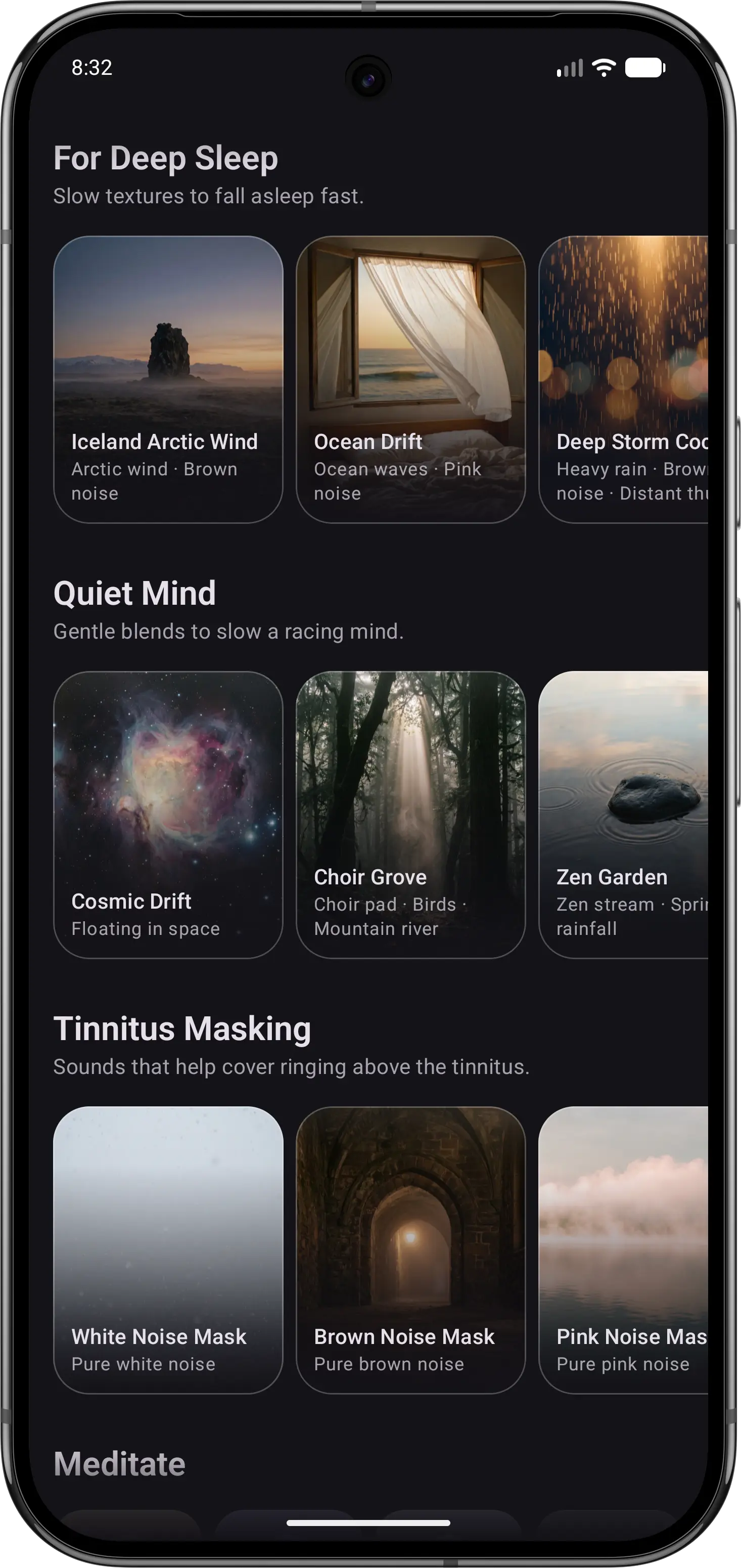
01Browse by mood
Explore a collection when you want something different.
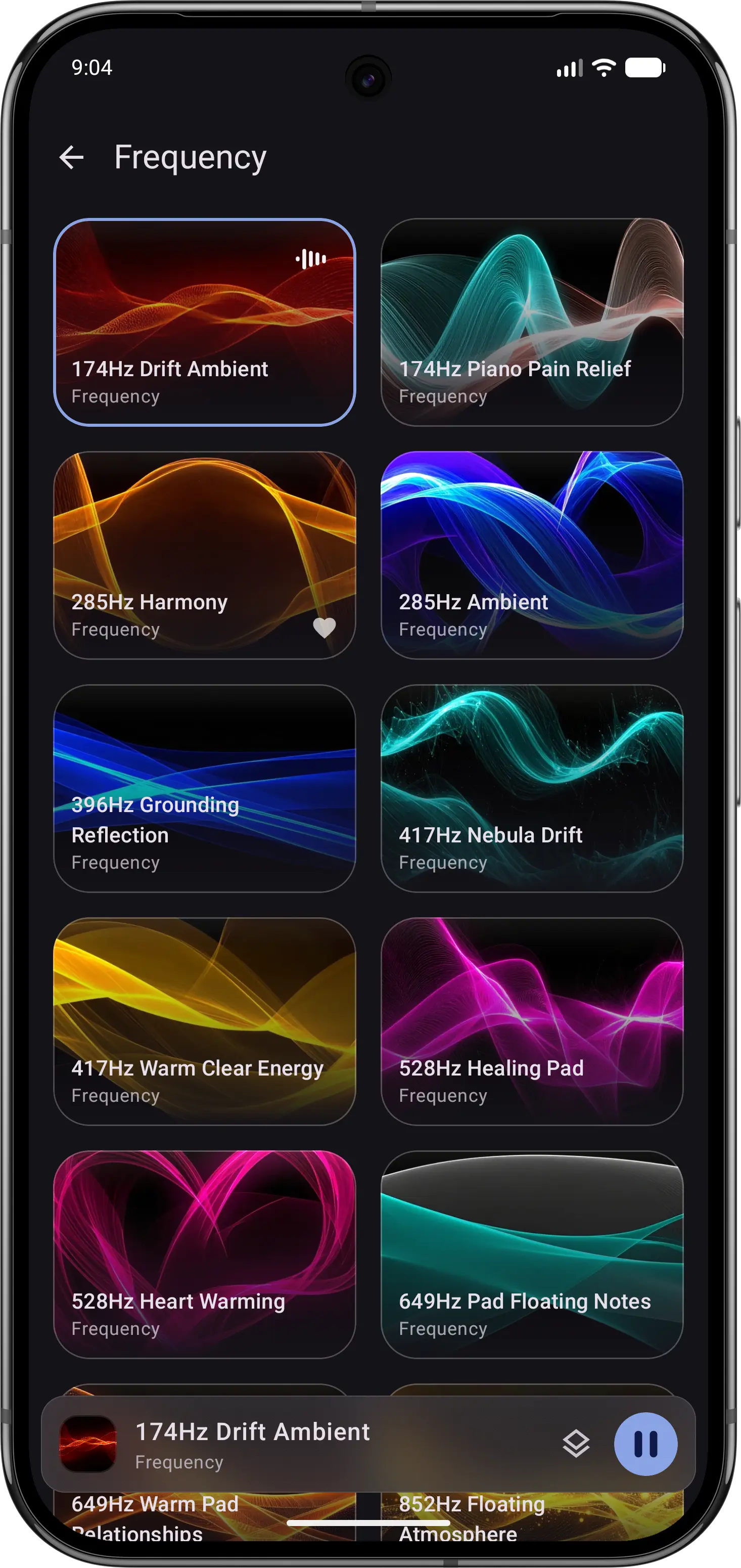
02Explore frequencies
Choose a tone when that is what you want to hear.
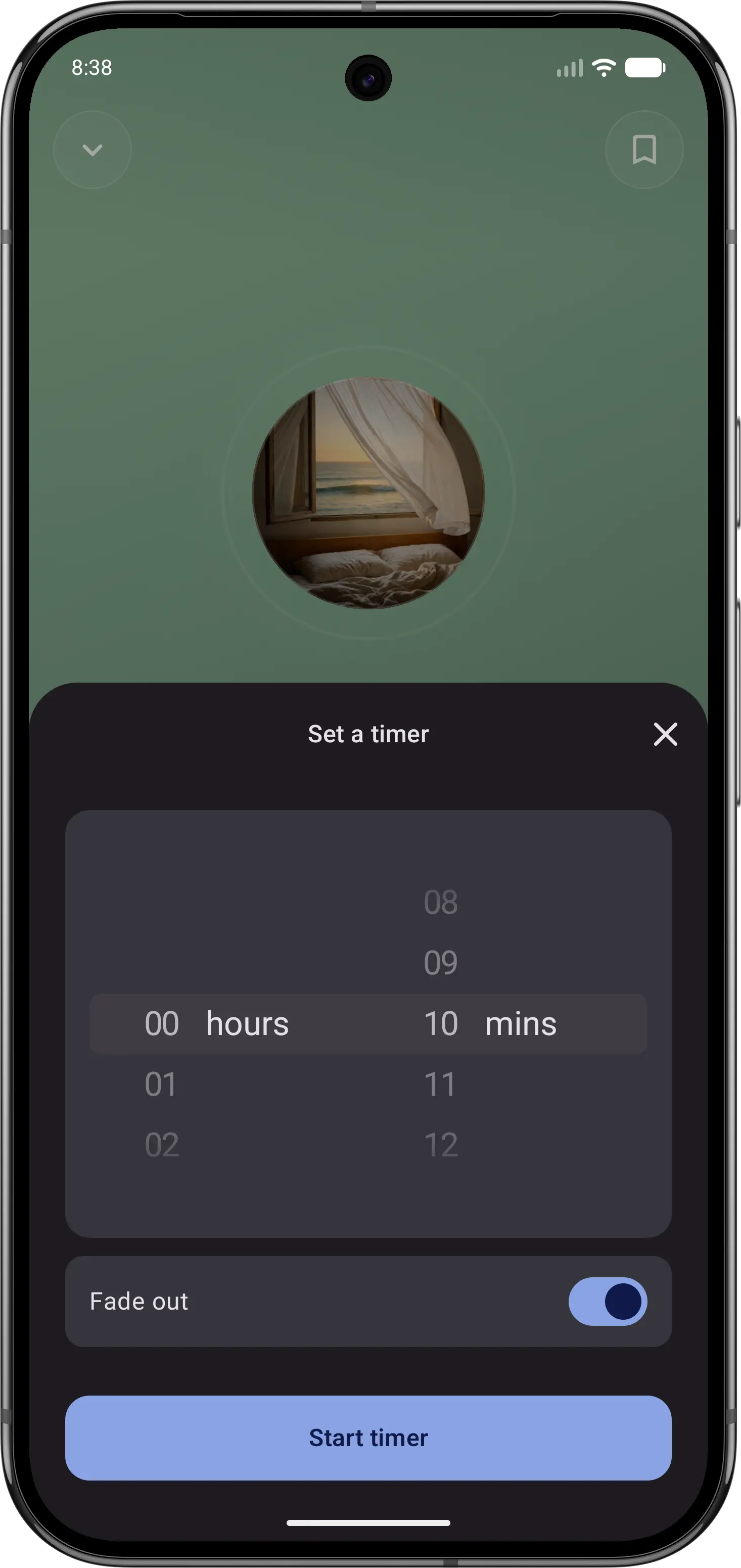
03Let the sound fade
Set a sleep timer, then put your phone down.
Feature comparison
| Feature | Momental | White Noise Lite |
|---|---|---|
| Mix sounds together | Yes | Pitch and balance |
| Wake-up alarm | No | Yes |
| Import or record sounds | No | Yes |
| Brainwave audio (binaural beats) | Yes | Not listed |
| Solfeggio frequencies | Yes | Not listed |
| Noise colors | White, pink, brown | Five colors |
| Fade-out sleep timer | Yes | Yes |
| Premium options | Plans + lifetime | Paid full version |
| Library size | Curated | 40+ plus downloads |
| iOS and Android | Yes | Yes |
| Tinnitus masking sounds | Yes | Yes |
| Entire library is narration-free | Yes | Yes |
| Free to start | Yes | Yes |
| Rain and nature sounds | Yes | Yes |
“Not listed” means we could not confirm a feature on the official product and store pages. It does not mean the feature is unavailable. Momental Premium offers monthly, yearly and lifetime plans; free access does not mean every sound is unlocked.
What can you use for free?
Momental: The Android listing includes 20+ free sounds, individual mixing controls, a fade-out timer and unlimited saved mixes. Premium is optional. On iPhone, check the sounds and access shown in your app before assuming the Android selection is identical.
White Noise Lite already provides mixing, recording and alarms in its free, ad-supported edition. TMSOFT offers separate paid Full and Pro editions with benefits such as ad removal and additional tools. Check the edition and platform before comparing prices: those upgrades are not the same as a recurring sound-library subscription. Compare TMSOFT editions.
Which should you choose?
Use Momental when you want calm audio and the fewest taps between opening the app and falling asleep. Choose a sound, set a fade-out timer and leave the screen. Its curated library covers nature sounds, white, pink and brown noise, and binaural and Solfeggio frequencies, and it runs on iOS and Android. It is the modern, sleep-first option that trades utility breadth for bedtime simplicity.
Use White Noise Lite when you want your phone to act as a bedside sound machine. TMSOFT has built White Noise since the original iPhone in 2008, and it shows: a full-screen digital clock, alarms that fade in, a timer that fades out, a mixer with pitch and balance controls, recording your own loops, and free downloads from White Noise Market. The trade-off is an interface that feels more like a control panel than a calm bedtime space, and the free version shows ads.
Before you switch
If you rely on White Noise Lite’s alarm, bedside clock or personal recordings, keep those tools available while trying Momental. Momental can provide your bedtime audio, but it does not replace the whole bedside toolkit. Arrange a separate wake-up alarm before changing your overnight routine.
Recreate a favorite blend using Momental’s own sounds and check whether that is enough for you. Do not assume recordings, Market downloads or saved mixes will import. If one particular recording is essential, keep it accessible in White Noise Lite.
Frequently Asked Questions
Is White Noise Lite free?
Yes, with ads. Both store listings point to TMSOFT's separate paid White Noise app as the way to remove them, and on iPhone that full version also adds Apple TV and Apple Watch support. Momental is also free to start, and Premium is available monthly, yearly or as a one-time lifetime purchase.
Is White Noise Lite on Android and iPhone?
Yes. White Noise Lite is on iPhone, iPad and Android, with 50+ built-in sounds on iOS and 40+ on Android, plus free downloads from White Noise Market. Momental is on iOS and Android as well.
Which is better as a bedside sound machine?
White Noise Lite. Its full-screen clock, fading alarms, recording tools and detailed mixer are built for exactly that job. Momental is built around the sound itself: pick one, let the sleep timer fade it out and put the phone down.
Does White Noise Lite have pink and brown noise?
Yes. Its catalog includes white, pink, brown, blue and violet noise. Momental offers white, pink and brown noise, plus binaural beats and Solfeggio frequencies. For more on the deepest of the three, see our guide to brown noise for sleep.
Is Momental a good alternative to White Noise Lite?
Yes, if you already have a clock and an alarm and just want sleep sounds. Momental focuses on the sound: curated collections such as For Deep Sleep and Tinnitus Masking, mixes you can save and a fade-out timer.
White noise, your way.
Explore pink and brown noise too, with simple mixing and a fade-out timer.