 Momentalvs.
 Dark Noise
Momental vs Dark Noise: Bedtime sounds or Apple controls?
Compare sound libraries, frequencies and support for your devices.
The short answer
Momental
- You need a sleep sounds app on Android
- You want binaural beats and Solfeggio frequencies
- You prefer browsing sounds by bedtime collection
Everyday use
Apple integration is a real reason to choose Dark Noise. If launching a sound through a widget or Shortcut is already part of your routine, those controls may matter more than another category in a sound library. Momental instead offers a sleep-focused experience on both iOS and Android, with noise colors and frequencies alongside nature sounds.
For an Android user, platform availability settles the choice quickly. For an iPhone user, the more interesting test is how you begin listening. Try the controls you would actually use at night, not just the player shown in a screenshot. Both apps offer mixing, so the presence of a mixer alone is not a deciding advantage.
Inside Momental A closer look at the bedtime routine
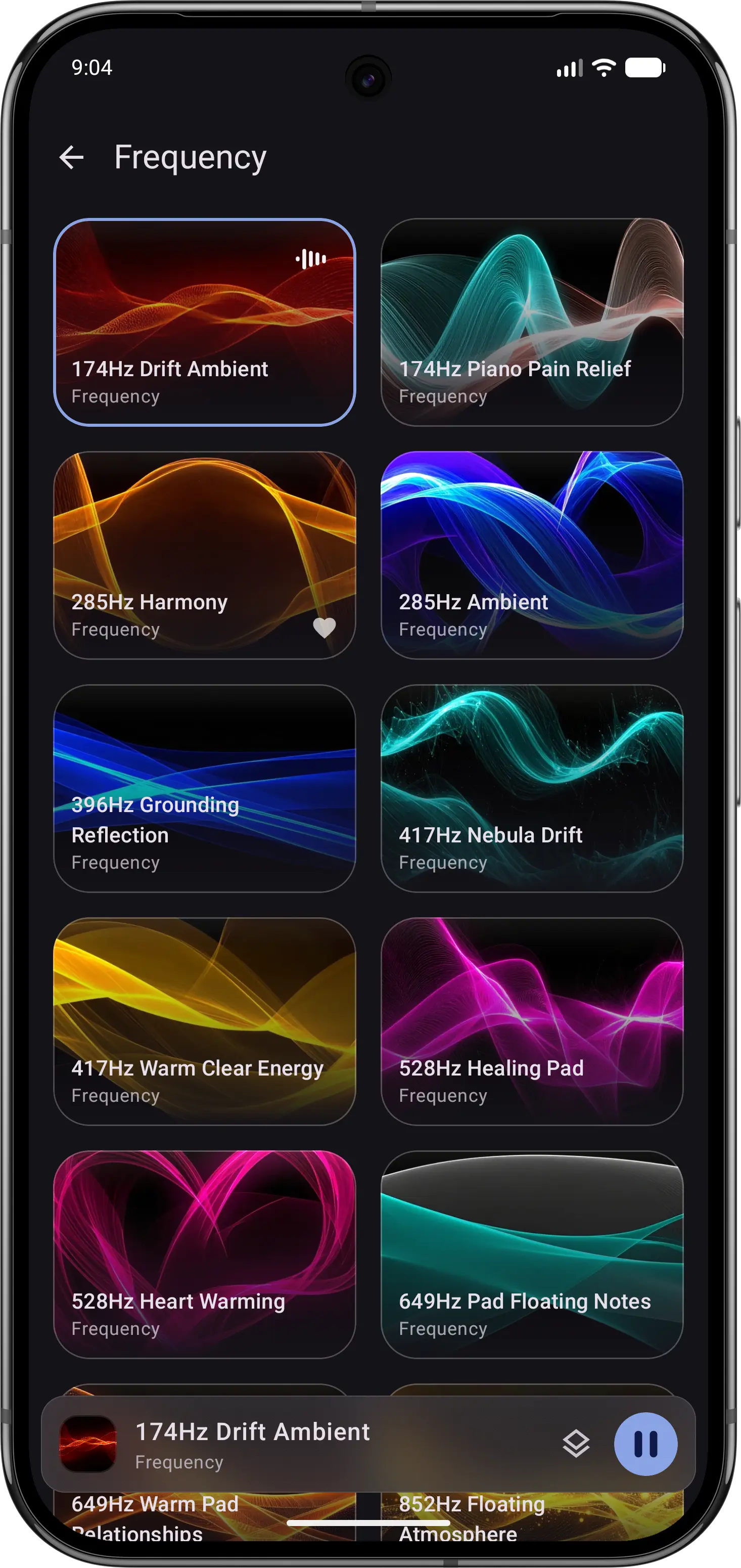
01Explore frequencies
Choose a tone when that is what you want to hear.
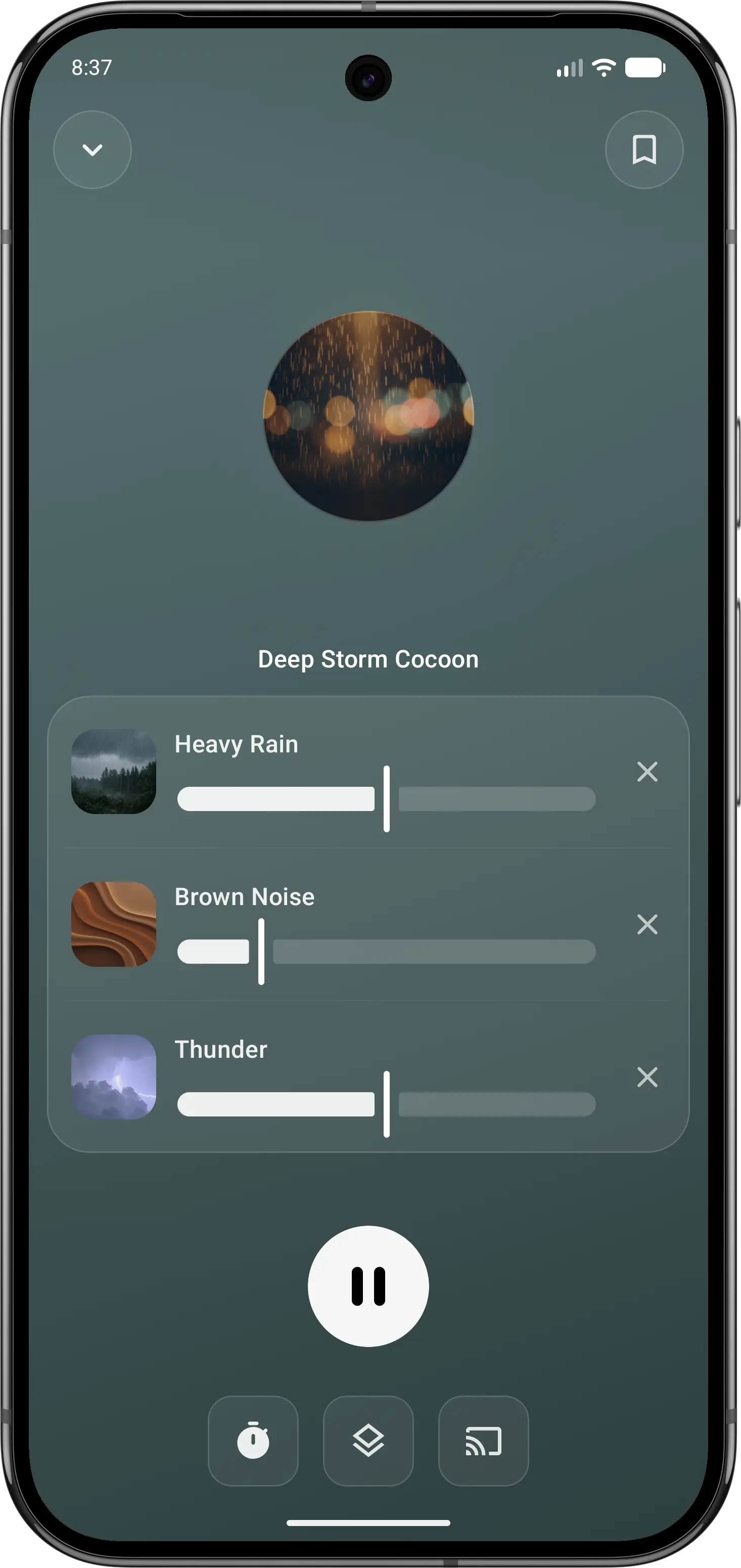
02Make it your own
Balance individual sounds in your own mix.
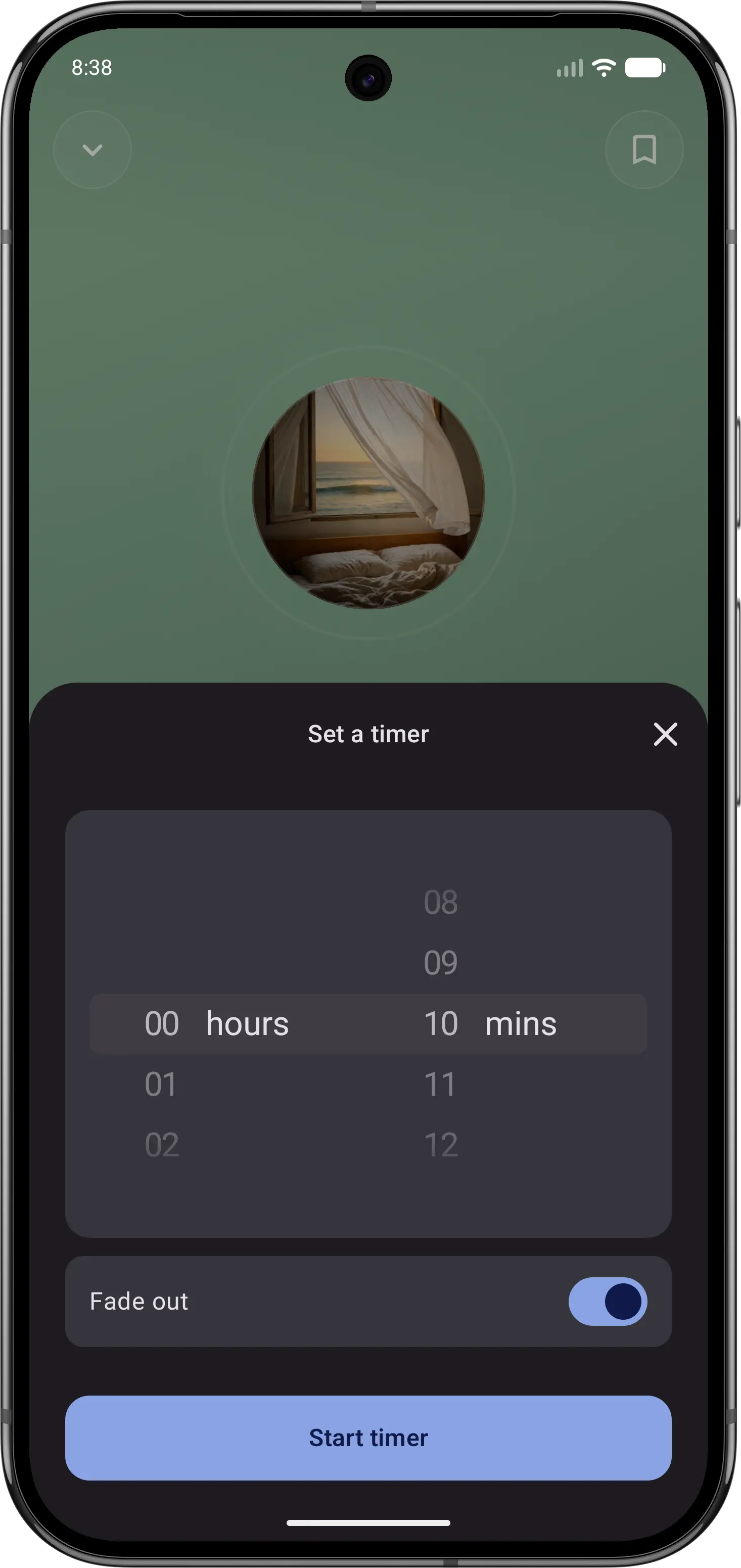
03Let the sound fade
Set a sleep timer, then put your phone down.
Feature comparison
| Feature | Momental | Dark Noise |
|---|---|---|
| iOS and Android | Yes | iPhone, iPad, Mac |
| Brainwave audio (binaural beats) | Yes | Not listed |
| Solfeggio frequencies | Yes | Not listed |
| Mix sounds together | Yes | Premium |
| Fade-out sleep timer | Yes | Yes |
| Entire library is narration-free | Yes | Yes |
| Premium options | Plans + lifetime | Monthly or lifetime |
| Free to start | Yes | Yes |
| Library size | Curated | 50+ sounds |
| White noise | Yes | Yes |
| Rain and nature sounds | Yes | Yes |
| Save mixes | Yes | Yes |
“Not listed” means we could not confirm a feature on the official product and store pages. It does not mean the feature is unavailable. Momental Premium offers monthly, yearly and lifetime plans; free access does not mean every sound is unlocked.
What can you use for free?
Momental: The Android listing includes 20+ free sounds, individual mixing controls, a fade-out timer and unlimited saved mixes. Premium is optional. On iPhone, check the sounds and access shown in your app before assuming the Android selection is identical.
Dark Noise offers a limited free sound selection. Pro adds its full catalog and custom mixes, along with appearance options. If mixing is essential, compare the cost of that specific workflow rather than only whether each app is free to download. Check the Pro offer on the Apple device you plan to use.
Which should you choose?
Use Momental when sleep is the main job and you want fewer choices at night. It keeps bedtime simple: open the app, choose a calm sound, set a fade-out timer and leave the screen. It runs on both iOS and Android, and next to nature sounds and white, pink and brown noise it adds binaural beats and Solfeggio frequencies. If anyone in your household uses Android, that platform difference alone may settle the question.
Use Dark Noise when Apple integration matters most. It is a polished ambient noise app for iPhone, iPad and Mac, with interactive Home Screen and Lock Screen widgets, Siri and Shortcuts support, AirPlay and a choice of themes. It rewards tinkering and automation. If you have already built a Shortcuts automation that starts Dark Noise at bedtime, switching may not be worth it, because that automation already removes the friction Momental removes by default.
Before you switch
Check your widgets, Siri commands and Shortcuts before changing apps. Those controls may be the reason Dark Noise fits your routine, even if you play only one sound. A Momental favorite does not automatically replace an automation that launches Dark Noise.
Try the same type of background sound and timer in Momental first. If Android access is your reason to move, build the mix on that device; do not assume an existing Apple shortcut or saved Dark Noise mix will carry over.
Frequently Asked Questions
Is Dark Noise free?
Dark Noise is free to download with a limited set of sounds, and Dark Noise Pro unlocks the full library of 50+ sounds along with custom mixes, extra themes and app icons. As of September 2026, the App Store lists Dark Noise Pro at $2.99 a month, $19.99 a year or $49.99 as a one-time lifetime purchase. Momental is also free to start, and Premium is available monthly, yearly or as a one-time lifetime purchase.
Is Dark Noise available on Android?
No. Dark Noise is made for Apple devices only: iPhone, iPad and Mac. There is no Android version. Momental runs on both iOS and Android, so it suits mixed households and anyone who might switch phones.
Which is better for widgets, Siri and Shortcuts?
Dark Noise. Its interactive widgets start a sound from the Home Screen or Lock Screen, and Siri Shortcuts can start a noise by voice, even on a HomePod. Its latest update adds extra-large iPhone widgets and brings Magic Mix, which builds a custom mix from a short description, to the Mac. Momental is built around a one-tap bedtime routine inside the app instead.
Is Momental a good alternative to Dark Noise?
It is if you want a no-talking sound app that also works on Android, or if you want binaural beats and Solfeggio frequencies next to rain, ocean and noise. You can mix several sounds into one blend, save it and let the sleep timer fade it out. If you rely on Apple automation every night, Dark Noise remains the stronger fit.
White noise and more for bedtime.
Explore pink, brown and nature sounds with a gentle fade.