 Momentalvs.
 Sleep Cycle
Momental vs Sleep Cycle: Sleep sounds or sleep insights?
Compare bedtime audio, sleep tracking and smart alarms.
The short answer
Momental
- You want a routine centered on bedtime listening
- You want noise colors, nature sounds and Solfeggio frequencies
- You want to blend sounds and save your favorites
Sleep Cycle
- You want a smart alarm for your wake-up window
- You want sleep records and trends over time
- You want to detect snoring and sleep talking
Everyday use
These apps are not direct substitutes for every task. Momental provides sounds you choose before bed. Sleep Cycle is built around recording and interpreting the night and helping you wake within an alarm window, with sleep audio as part of its offering.
If the screen you care about is a sound player, compare the listening experience. If the screen you care about is a morning report, Momental does not replace it. A longer sound library cannot stand in for tracking, just as a detailed sleep graph is not the same thing as a mix you enjoy. Start with the task you want the app to perform before weighing the other features.
Inside Momental A closer look at the bedtime routine
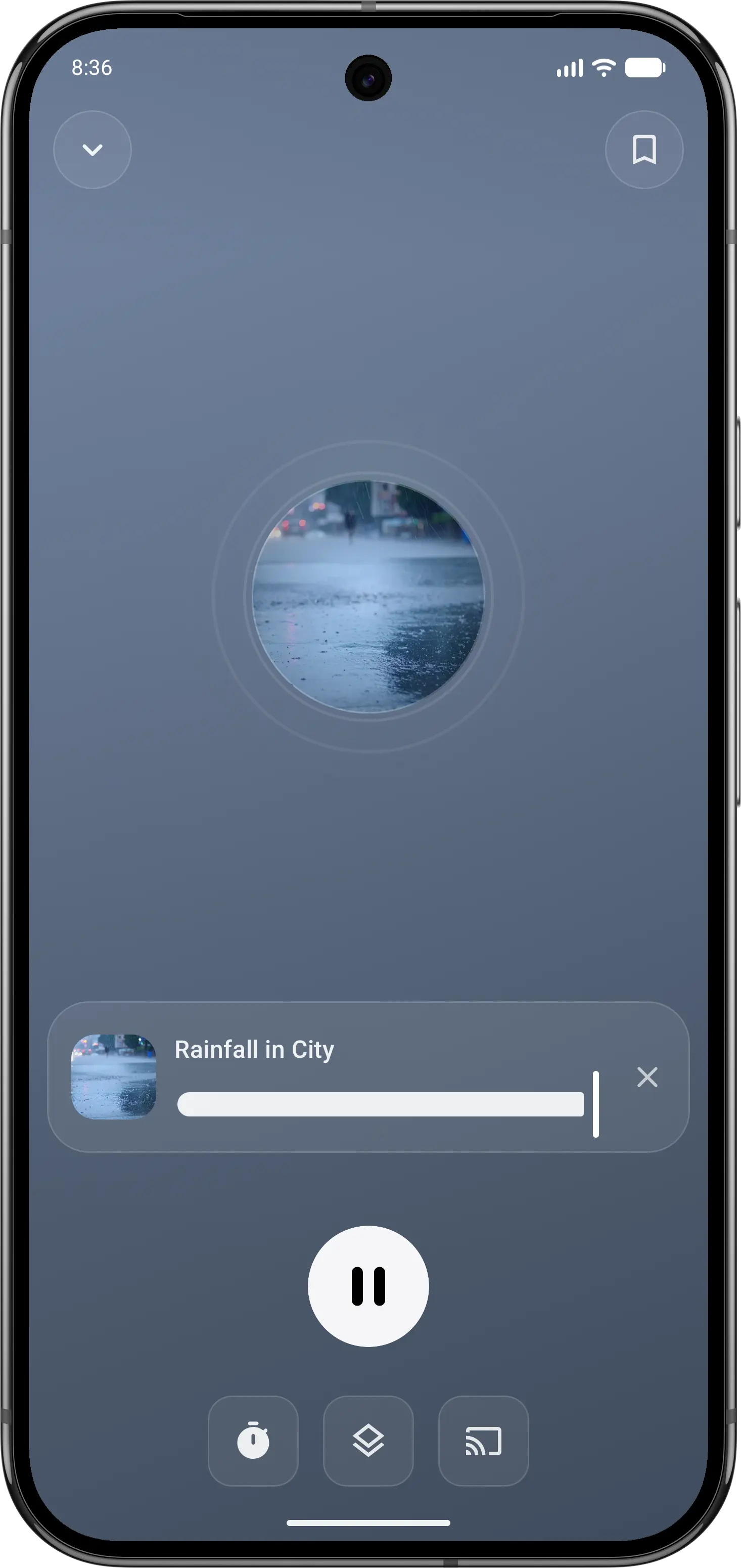
01Find your sound
Start with a familiar rain or nature sound.
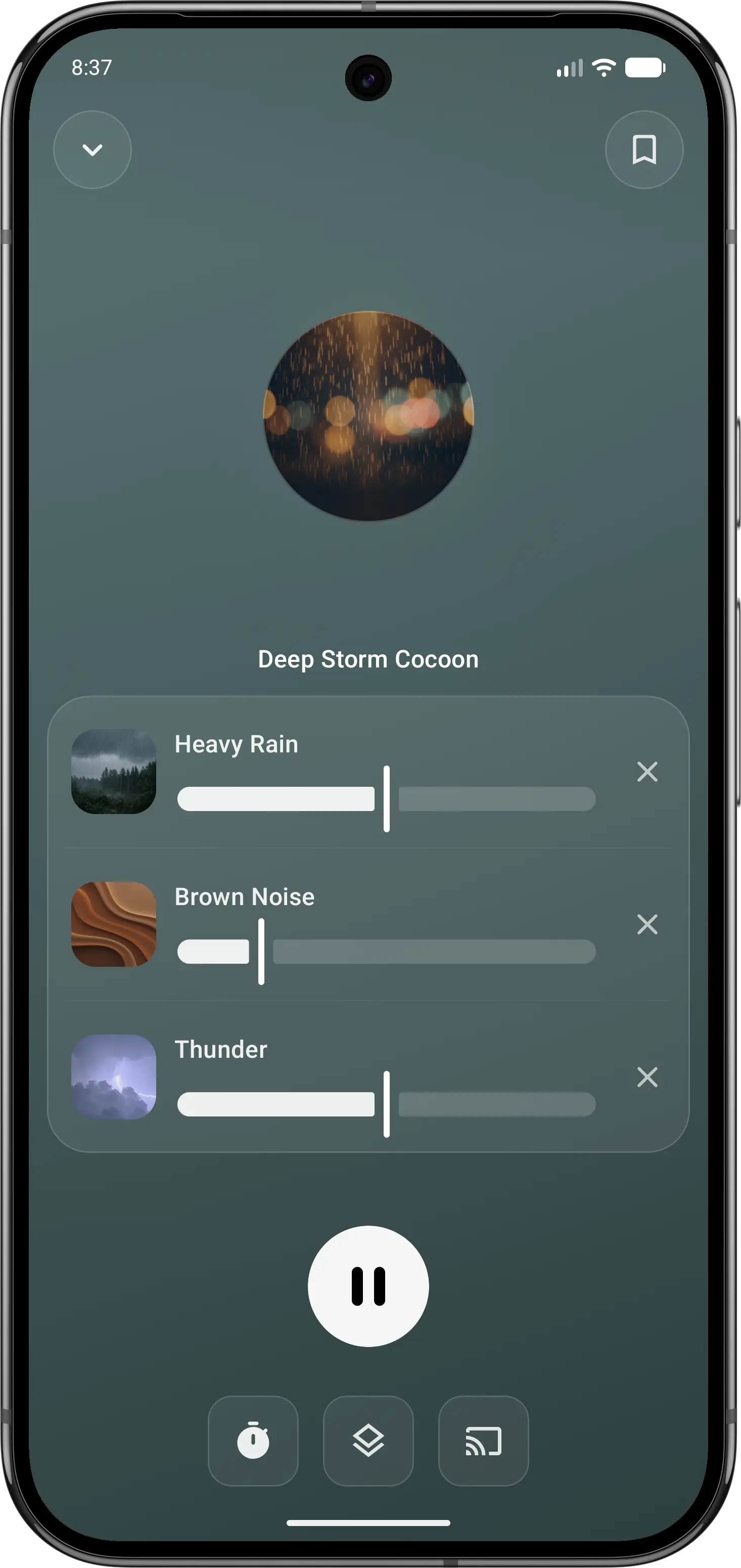
02Make it your own
Balance individual sounds in your own mix.
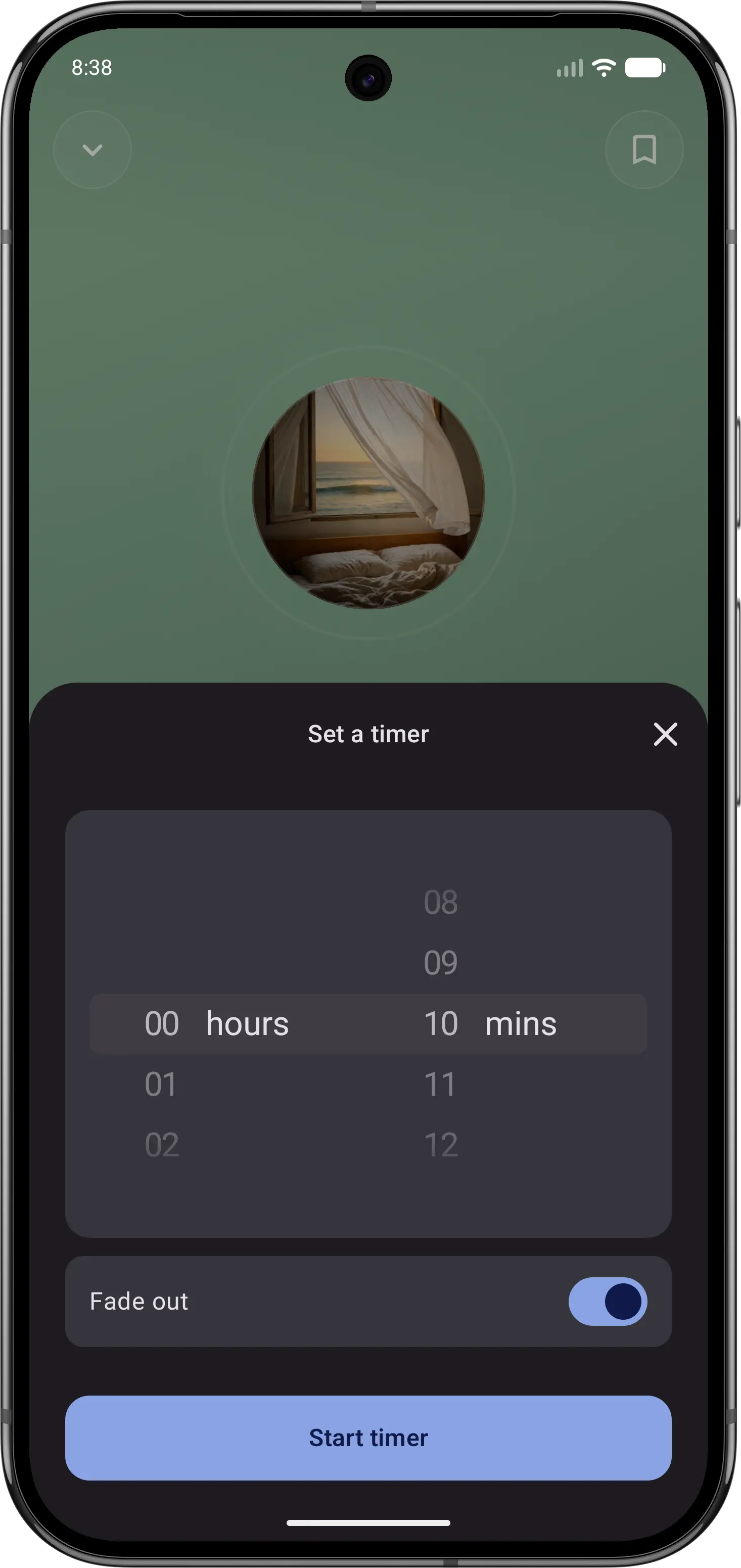
03Let the sound fade
Set a sleep timer, then put your phone down.
Feature comparison
| Feature | Momental | Sleep Cycle |
|---|---|---|
| Main job | Falling asleep | Tracking sleep |
| Sleep sounds | Yes | Yes |
| Sleep tracking | No | Yes |
| Smart wake-up alarm | No | Yes |
| Snoring recordings | No | Yes |
| Routine reminders | Yes | Bedtime |
| Solfeggio frequencies | Yes | Not listed |
| Premium options | Plans + lifetime | Subscription |
| Noise colors | White, pink, brown | White, pink, green |
| Entire library is narration-free | Yes | No |
| Free to start | Yes | Yes |
| iOS and Android | Yes | Yes |
| Guided meditation | No | Yes |
| Sleep timer | Yes | Yes |
“Not listed” means we could not confirm a feature on the official product and store pages. It does not mean the feature is unavailable. Momental Premium offers monthly, yearly and lifetime plans; free access does not mean every sound is unlocked.
What can you use for free?
Momental: The Android listing includes 20+ free sounds, individual mixing controls, a fade-out timer and unlimited saved mixes. Premium is optional. On iPhone, check the sounds and access shown in your app before assuming the Android selection is identical.
Sleep Cycle combines free access with optional Premium features and trial offers. Evaluate its tracking and alarm access separately from its paid audio and reporting tools; downloading the app does not unlock everything. If your goal is only a bedtime soundtrack, paying for additional sleep reports may not address that need.
Which should you choose?
Use Momental when your problem is falling asleep. It is a focused sleep sound app: white, pink and brown noise, rain, ocean, forest and other nature sounds, binaural beats and Solfeggio frequencies from 174 to 963 Hz. There is no talking or narration. Pick a sound or a saved mix, set a fade-out timer and sleep. Sleep, relax, focus and meditate modes make it useful beyond bedtime. It is free to start, and Premium is available monthly, yearly, or as a one-time lifetime purchase.
Use Sleep Cycle when you want to understand your sleep and wake up better. It tracks your night through sound analysis or motion, scores your sleep, detects snoring, coughing and sleep talking, and its Smart Alarm wakes you during your lightest sleep phase within a window you set. It also has sleep sounds, stories and meditations, but it is built around data rather than sound. The simplest way to think about it: Momental is for the start of the night, Sleep Cycle is for the morning and the trends over weeks.
Before you switch
Decide which job you want to replace. Momental provides bedtime audio; it does not replace Sleep Cycle’s sleep records, snoring recordings or smart alarm. Keep access to your tracking history and set up a separate alarm if you decide to stop using Sleep Cycle.
Do not assume both apps can run together on the same phone. Sleep Cycle does not support or recommend simultaneous use of other apps on iPhone or Android, because it can interfere with tracking regardless of detection mode. Assess them in separate sessions rather than treating this as a supported combination. Read Sleep Cycle’s guidance.
Frequently Asked Questions
Can I use Sleep Cycle and Momental together?
They can serve different parts of your routine, but simultaneous use on the same phone is not a supported setup. Sleep Cycle advises against running other apps alongside its tracker on iPhone or Android, regardless of detection mode, because this can interfere with tracking. Use separate sessions when comparing the apps. See Sleep Cycle’s guidance.
Does Sleep Cycle have sleep sounds?
Yes. Sleep Cycle includes a sleep sounds library with white, pink and green noise, rain, ASMR, sleep music, bedtime stories and guided meditations. Some of it, such as its supportive soundscapes and sleep stories, is part of Premium. Momental's whole library is sound, with noise colors, nature sounds and frequencies you can blend into your own mix.
Is Sleep Cycle free?
Sleep Cycle is free to download and offers a Premium subscription with a free trial. Premium adds tools such as soundscapes, sleep stories, data export and Apple Health sync. Momental is free to start, and Premium is available monthly, yearly, or as a one-time lifetime purchase.
How does Sleep Cycle's Smart Alarm work?
Sleep Cycle tracks your sleep phases through the night and, within a wake-up window you choose, sounds the alarm when you are in your lightest sleep. The idea is that waking from light sleep leaves you less groggy than an alarm at a fixed minute.
Sleep sounds for winding down.
Settle into rain or noise with a fade-out timer.